

Make sure you have:
- A CI pipeline that produces a mobile build artifact (APK, AAB, or IPA).
- Node.js 18 or later available in your CI environment.
- Admin access to your CI system’s secret or environment variable storage.
- A QA Wolf API key.
- Which environments you want to test.
- Whether PR testing is enabled.
- The artifact naming conventions you are using.
- The upload and trigger method you chose.
Install the CI SDK
Install the SDK in your CI job:Find the QAWOLF_API_KEY
1
Open the Workspace name dropdown in QA Wolf and click Workspace Settings.
2
Choose Integrations.
3
Generate your QAWOLF_API_KEY by clicking the icon to the right of API Key under API Access.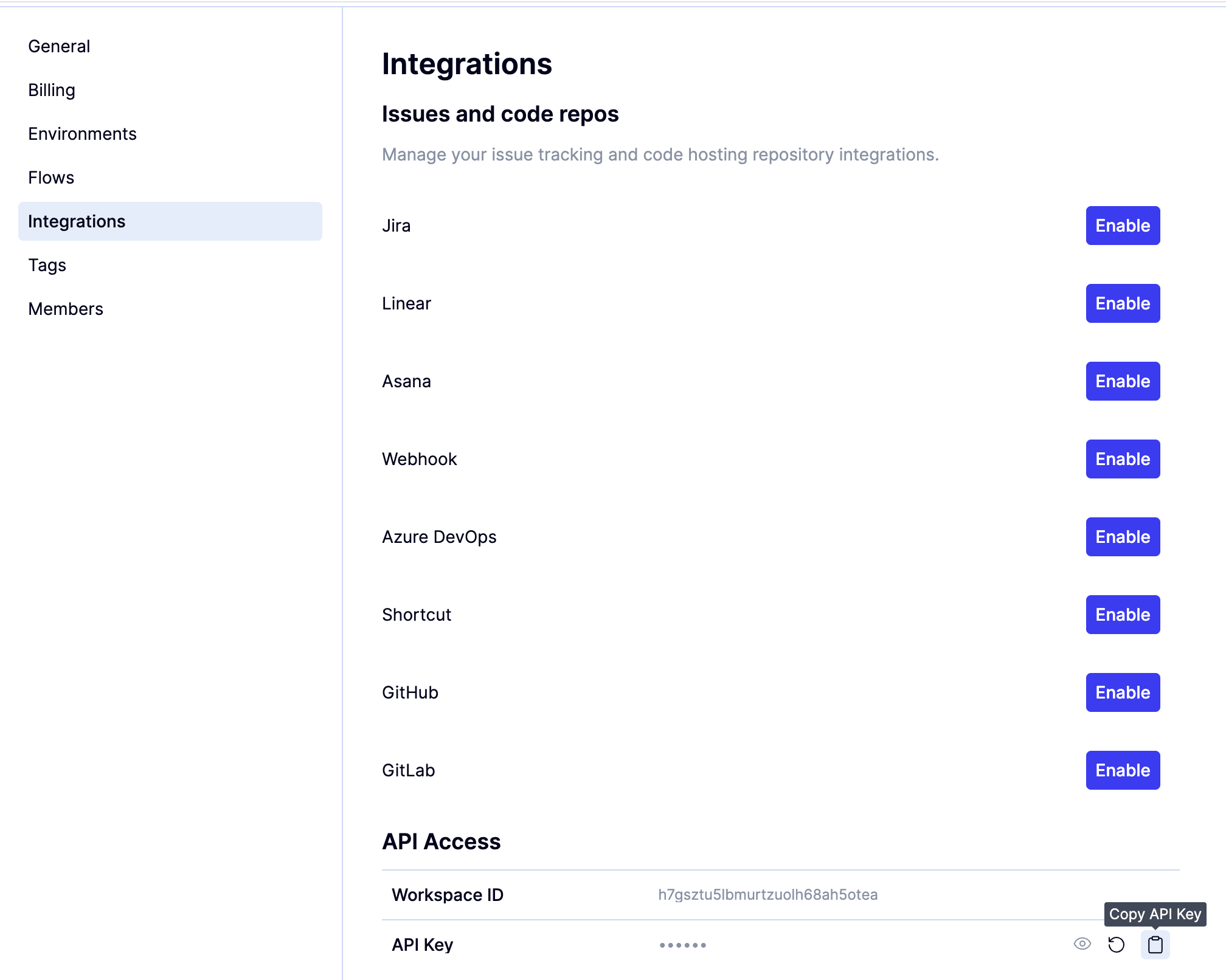
QAWOLF_API_KEY environment variable.
Artifact naming conventions
Mobile build artifacts must follow consistent naming conventions so QA Wolf can correctly associate each build with the right environment and make failures easier to diagnose. The artifact name is used to identify:- Which environment the build belongs to.
- Whether the build is tied to a pull request.
- Which build was used for a given test run.
Static environments
Static environments are long-lived environments such as staging or release environments. FormatPR (ephemeral) environments
PR environments are short-lived and tied to a specific pull request. These are only relevant if PR testing is enabled. FormatUpload a mobile build artifact
After your CI pipeline produces a mobile build artifact, upload it to QA Wolf using the SDK. Minimal exampleJavascript
Javascript
Trigger a test run
After uploading the artifact, notify QA Wolf that a new deployment is ready for testing.Verify the integration
1
Run the CI job.
2
Verify that the artifact upload completes successfully.
3
Confirm that the deployment notification step runs without errors.
4
Once mobile triggers are enabled, check the Runs tab for the test run that was triggered.
Troubleshooting and common issues
- If uploads succeed but no runs start: Mobile triggers may not yet be enabled. Contact QA Wolf to complete platform configuration.
- If the artifact is not found during execution: Verify that the artifact basename matches your naming conventions, and the returned path is used when triggering the run.
- If you see authentication errors: Verify that QAWOLF_API_KEY is configured correctly in your CI environment.
- If you encounter Node.js errors: Ensure Node.js 18 or later is available in the CI job.